I’ve been interested in the Go programming language for a while: it’s statically typed, compiles to native code, and has concurrency built-in. As a Python developer, it has a very attractive feature set.
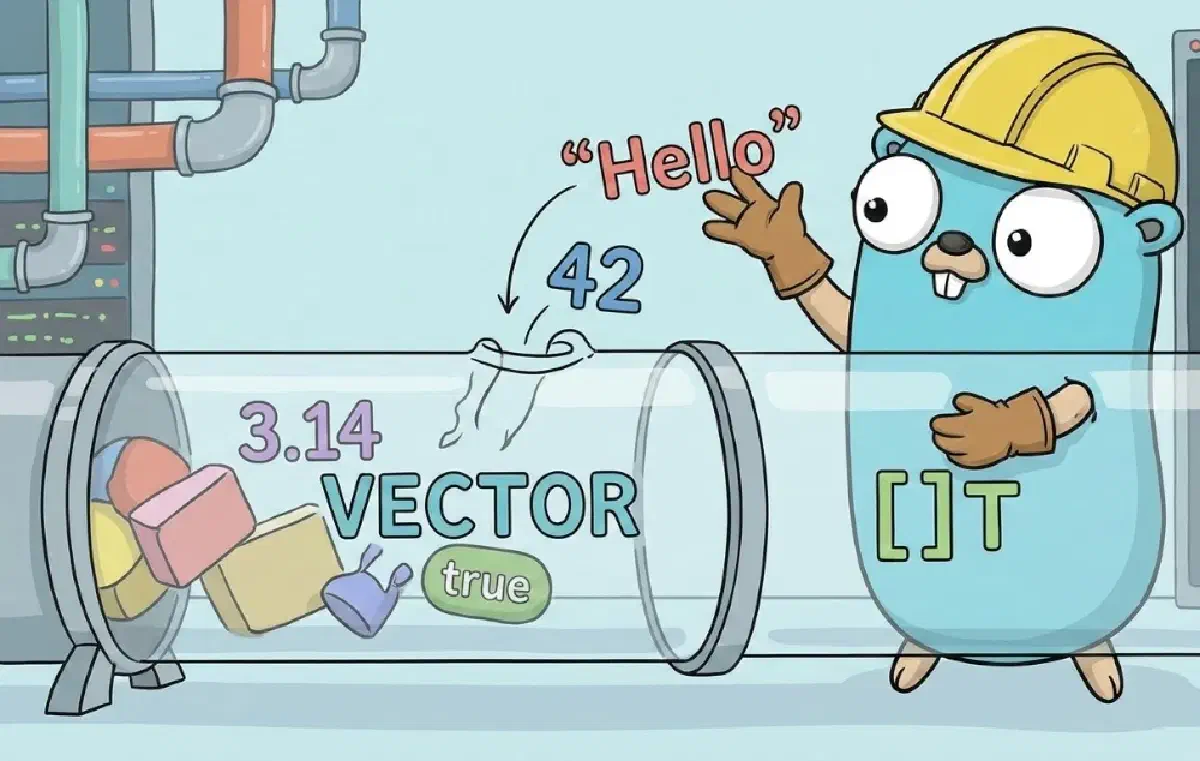
To get a feel for Go, I thought it’d be fun to implement the Vector datatype, also known as the dynamically sized array.
Follow along as I try to get to grips with Go, and do a little algorithmic analysis along the way.
All the code is available here.
Why Go? #
So what makes Go so interesting? For me, there’s three selling points:
-
Static Type Checking: The Go compiler performs type-checking at compile time, meaning no runtime type errors. This is a huge attraction coming from Python, which is dynamically typed, meaning type-related errors at runtime are a common occurrence.
-
Compiles To Native Code: Go compiles to optimized machine code making it crazy fast. This is again a contrast to Python, which is interpreted and very slow.
-
Concurrency Built-In: Go was designed with concurrency as a core feature. We won’t go into its concurrency support in this post, but it’s something I’ll explore in the future.
With that context, let’s define basic operations for Vector.
Deciding Functionality #
To keep the scope small, I came up with the following functionality:
NewVector()- constructor function to create new, emptyVectorsSize()- returns the number of elements in theVectorIsEmpty()- returnstrueif theVectorhas no elements,falseotherwiseCapacity()- returns the available capacity of theVectorAt(index)- element access with bounds checkingPush(elem)- add elements to the end of theVectorInsert(index, elem)- insert an element at a certain positionPop()- remove and return an element from the endDelete(index)- delete an element at an index
Implementation #
Setting Everything Up #
Go structures code into packages - source files that live in the same directory - and modules, a collection of packages.
To get started, I made a new Go module:
go mod init go_vectorgo mod init creates a go.mod file, which contains metadata about your module.
I then created a main.go file and a directory for the Vector code itself.
main.go is a special file which we’ll return to.
I created a vector directory and switched to it, and then made a vector.go file where we’ll spend most of our time.
touch main.go
mkdir vector && cd vector
touch vector.go  # this is where the vector code will go
After all that, this was my directory structure:
go.mod
main.go
vector
└── vector.go
With everything set up, it was time to start implementing.
Defining Types #
Taking inspiration from its great-grandfather C, Go uses structures (struct) to define types instead of classes and objects.
If you’re unfamiliar with structs, a struct is just a grouping of data.
For Vector to be useful, I made it generic, meaning it can hold any data type:
// vector/vector.go

package vector

type Vector[T any] struct {
    arr []T
    capacity int
}
From the top:
-
package vector: Every Go source file belongs to a package, normally the name of the directory the file is in. -
type Vector[T any] struct: I declareVectoras a genericstructwhich can holdanytypeT. -
arr []T: Creates a generic slice calledarrwhere I’ll store the elements and manage resizing. I’ll return to slices shortly. -
capacity int: Holds the current capacity of theVector- the number of elements it can hold.
Creating New Vectors #
With my struct defined, I implemented the constructor function to return a new empty Vector.
func NewVector[T any]() *Vector[T] {
    initialCap := 1

    return &Vector[T]{
        arr: make([]T, 0, initialCap),
        capacity:   initialCap,
    }
}-
func NewVector[T any]() *Vector[T]: Defines a generic functionNewVectorwhich returns*Vector[T]- a pointer to the newly createdVectorinstantiated with typeT. -
initialCap := 1: The initial capacity of theVectorwill be 1. -
Inside the new struct I initialize the fields.
capacityis set toinitialCap, andarris initialized usingmake([]T, 0, initialCap), which creates a new slice of typeTwith length0(no elements) but a capacity ofinitialCap(which is 1). -
I then
return &Vector[T], a reference to the newly createdVector.
Before we go further, let me explain what slices are.
Slices In A Sentence (Or Two) #
A slice is a view into an underlying backing array. Slices are Go’s answer to dynamically sized arrays.
A slice is made up of three things:
- A pointer to the underlying array
- The number of elements it currently contains (its length)
- The number of elements it can contain (its capacity)
When you append to a slice beyond its capacity, Go automatically allocates a larger backing array and copies the contents over.
Size(), Capacity(), IsEmpty() #
Next I implemented functions related to the size and capacity of a Vector.
func (v *Vector[T]) Size() int {
    return len(v.arr)
}

func (v *Vector[T]) Capacity() int {
    return v.capacity
}

func (v *Vector[T]) IsEmpty() bool {
    return v.Size() == 0
}
Hmm, what’s that weird (v *Vector[T]) syntax before the function names? Ah, now we come to another quirk of Go.
Functions and Methods #
As I mentioned earlier, Go isn’t an object-oriented language - it doesn’t have classes, methods, or inheritance.
But you can define functions which act on a type, just like methods which act on an instance of a class.
In Go these functions are called receiver methods (just to confuse you).
The receiver is the type that the function acts on. It’s specified in-front of the function name, which is what the (v *Vector[T]) is before each of the function names above.
Value and Pointer Receivers #
There are two kinds of receiver - pointer receivers and value receivers.
I use pointer receivers in my code snippet above (you can tell because of the *). Pointer receivers mean that the function acts on the datatype directly.
This is in contrast to value receivers, which don’t have the * in-front of the type name (i.e., (v Vector[T])). In value receivers, a copy of the type is made each time the function is called.
The table below shows important differences between the two kinds of receiver.
| Aspect | Pointer Receiver | Value Receiver |
|---|---|---|
| Syntax | func (v *Vector[T]) IsEmpty() bool |
func (v Vector[T]) IsEmpty() bool |
| Modifies Receiver | Yes | No (works on a copy) |
| Memory | Passes a pointer | Copies the entire data type |
| Best practice | Use for consistency if any method modifies | Use for small, immutable types |
I chose to use pointer receivers for all Vector methods for two reasons:
- Some methods modify the contents of the
Vectorstruct, so they must use pointer receivers. - In Go, it’s good practice to use pointer receivers for every method even if they are only required in some methods.
At(index int) #
For accessing an element at a given index, I defined At(index int).
func (v *Vector[T]) At(index int) (T, error) {

    if index < 0 || index >= v.Size() {
        var zero T
        return zero, fmt.Errorf("Index out of range")
    }

    return v.arr[index], nil
}
var zero T creates a zero value of type T (e.g., 0 for int, "" for string, nil for pointers). This is needed because if the Vector is empty, we need something to return. Setting to zero avoids memory leaks if T is specialized as a pointer type.
You’ll notice the function returns (T, error). In the case where index is out of bounds, I return a tuple of the aforementioned zero and a formatted error message (fmt.Errorf).
In the case where index is within bounds, I return the element at index (v.arr[index]) and nil to signify “no fault occurred”.
Returning a tuple such as (T, error) brings me to another Go idiom.
Errors As Values #
Go doesn’t have exceptions. Instead, functions explicitly return an error value that the caller must check.
If someone calls Pop in the case of Vector, they’d have to do so like this:
data, err := myVector.Pop()
if err != nil {
    // handle the error
}
// use data
The code pattern above is very common, and is how Go programs check for failure of functions.
Adding Elements #
Now we come to the real meat and potatoes - adding elements to the Vector.
Let’s start with adding elements to the end of the array.
Push(elem T) #
func (v *Vector[T]) Push(elem T) {
    // check if we need to resize
    if v.Size()+1 > v.Capacity() {
        // double the capacity
        v.capacity *= 2
        // create the resized slice
        newArr := make([]T, v.Size(), v.capacity)
        // copy elements to new
        copy(newArr, v.arr)
        v.arr = newArr
    }
    v.arr = append(v.arr, elem)
}
When adding a new element, I first check there’s enough allocated memory (capacity).
If not, I double the capacity.
Why double the capacity? I’ll explain in a moment.
I then create a new slice using the make function, which allocates and initializes the memory and returns (in my case) something of type []T. I specify the length of the slice as v.Size() and the new doubled capacity.
Once that’s done, I call the builtin append function to add the element to the end of v.arr.
Why did I choose to double the capacity? Theory time!
Spreading The Cost #
Doubling #
To explain why I’ve chosen to double the size of the array when resizing, let’s do some analysis.
Assume we start with a capacity of 1 and we want to push n elements into the Vector. Every time the capacity is reached, we double it.
Let’s track when copying elements actually happens:
| Resize | Occurs When… | New Capacity | Must Copy |
|---|---|---|---|
| 1 | Pushing the 2nd element | 2 | 1 element |
| 2 | Pushing the 3rd element | 4 | 2 elements |
| 3 | Pushing the 5th element | 8 | 4 elements |
| 4 | Pushing the 9th element | 16 | 8 elements |
Do you see the pattern? We only pay the copy cost when the number of elements hits a power of 2.
To find the total cost of inserting n elements, we need to sum two things:
- The Insertions: We perform n constant-time writes (one for each new element), which costs n.
- The Copies: All the copy operations caused by resizing up to n.
The copy operations from 1 to n form a geometric series:
\(1 + 2 + 4 + 8 + \cdots + 2^k\)
Here, \(2^k\) represents the number of elements copied during the most recent resize, which is the largest power of 2 less than or equal to n.
To find the total cost of all the copy operations up to n, we need to find the sum of the series from \(1\) to \(2^k\).
A neat trick about powers of 2 is that the sum of the series is always one less than the next power of 2.
\(1 + 2 + 4 + 8 + \cdots + 2^k = 2^{k+1} − 1\)
Since \(2^k \leq n\), the next power of 2 (\(2^{k+1}\)) must be \(\leq 2n\). Therefore, we can bound the total copy operations:
\(\text{Total Copies} \leq 2n\)
Now we combine the costs to find the total:
\(\text{Total Work} = \text{Insertion Cost} + \text{Copy Cost}\)
\(\text{Total Work} \leq n + 2n\)
\(\text{Total Work} \leq 3n\)
Looking at that occasional expensive resize, you may think the operation is \(O(n)\).
However, if I spread the total cost over n push operations, the average cost per push is \(3n/n = 3\).
Since 3 is a constant, we can conclude that pushing amortizes to \(O(1)\) per push - constant time on average, even though individual pushes might occasionally cost \(O(n)\) when a resize is needed.
Constant Resize #
Compare this to increasing the number of slots by a fixed amount such as 2.
Starting with size 2:
| Resize | Occurs When… | New Capacity | Must Copy |
|---|---|---|---|
| 1 | Pushing the 3rd element | 4 | 2 elements |
| 2 | Pushing the 5th element | 6 | 4 elements |
| 3 | Pushing the 7th element | 8 | 6 elements |
| 4 | Pushing the 9th element | 10 | 8 elements |
Notice that resizing occurs more frequently, and the copy cost grows linearly with each resize.
For n insertions with a constant increment of k (where \(k = 2\)):
- The Insertions: n constant-time insertions still cost n.
- The Copies: We need to work out the total cost of copying up to n when copying occurs every k insertions.
The copy operations from 2 up to n will be:
\(2 + 4 + 6 + 8 + \cdots + n\), assuming n is a multiple of 2 for simplicity.
Factoring out \(k = 2\) from earlier:
\(k * (1 + 2 + 3 + 4 + \cdots + n/k)\)
In this case, the copy operations form an arithmetic series rather than a geometric one.
Using the formula for the sum of the first m positive integers to give us the total copies:
\(k * (m * \frac{a + l}{2})\), where
- \(m\) = number of integers
- \(a\) = first term
- \(l\) = last term
Substituting:
- \(m\) = \(n/k\)
- \(a\) = \(1\)
- \(l\) = \(n/k\)
We get:
\(k * (\frac{(n/k)(n/k + 1)}{2}) \approx \frac{n^2}{2k}\)
Substituting \(k = 2\)
\(\text{Total copies} \approx \frac{n^2}{4}\)
So the total work is \(n + \frac{n^2}{4}\), which is \(O(n^2)\).
If we spread the total cost over n Push operations:
\(\frac{O(n^2)}{O(n)} = O(n)\)
Therefore, increasing the size by a constant amount amortizes to \(O(n)\), or linear complexity per Push, making each operation more expensive than doubling.
This means on average, every single push becomes a generic linear \(O(n)\) operation, which is disastrous for performance compared to \(O(1)\).
Math lesson over.
Insert(index int, elem T) #
I’ll Insert an element at an index, and shift all the elements after it to the right. I’ll add some bounds checking to make sure users only Insert elements within the Vector’s bounds.
For example, if the original Vector is [1, 2, 4] and I Insert(2, 3), the resulting Vector should be [1, 2, 3, 4].
func (v *Vector[T]) Insert(index int, elem T) error {
    // check bounds
    if index < 0 || index > v.Size() {
        return fmt.Errorf("Index %d out of bounds.", index)
    }

    // add new space at the end
    var zero T
    v.Push(zero)

    // shift elements to the right, starting from the end
    for i := v.Size() - 1; i > index; i-- {
        v.arr[i] = v.arr[i-1]
    }

    // insert the element
    v.arr[index] = elem

    return nil
}-
First I check that
indexis within bounds. -
If
indexis within bounds, IPushzeroto the end of theVector. -
Then I loop from the end of the
Vectortoindex, moving elements to the right. -
Finally I
Insertthe element atindex.
The Insert function introduces another Go quirk.
Loops #
Go only has one kind of loop - the for loop. The for loop serves a few purposes:
-
It can be used as a normal
forloop:for i := 0; i < len(v.arr); i++ -
It can iterate over a
range:for index, element := range v.arr -
It doubles as a
whileloop:for i < len(v.arr) -
It can be used as an infinite loop:
for { ... }
I found the lack of a while loop took a little getting used to, but it soon felt very natural.
Removing Elements #
We’ll begin with removing elements from the end of the Vector with Pop.
Pop() #
func (v *Vector[T]) Pop() (T, error) {
    var zero T
    // can't pop from an empty Vector
    if v.Size() == 0 {
        return zero, fmt.Errorf("Can't pop from an empty Vector.")
    }
    // save the last element
    lastElem := v.arr[v.Size()-1]
    // set the last element to zero - avoids memory leaks
    v.arr[v.Size()-1] = zero
    // shrink the slice
    v.arr = v.arr[:v.Size()-1]
    return lastElem, nil
}-
If
v.Size() == 0istruetheVectorhas no elements. In that case, I return a tuple ofzeroand anfmt.Errorf. I’ll explain this in a moment. -
Otherwise I save the element at the end of the
VectortolastElem. -
Then I set the end of the
Vectortozeroto mark it empty. -
Next, I shrink the length of the slice by 1 with
v.arr = v.arr[:v.Size()-1]. -
Finally I return a tuple containing
lastElemandnil, again signaling success.
Delete(index int) #
Next I implemented Delete, which takes an index and deletes the element at that index, shifting all elements after it to the left.
E.g., given the Vector [1, 2, 3], Delete(1) should yield [1, 3].
func (v *Vector[T]) Delete(index int) error {

    // bounds check
    if index < 0 || index >= v.Size() {
        return fmt.Errorf("index out of range")
    }

    // start at 'index' and overwrite the
    // current element with the next one (index+1)
    for i := index; i < v.Size()-1; i++ {
        v.arr[i] = v.arr[i+1]
    }

    var zero T
    // set last element to zero
    v.arr[v.Size()-1] = zero
    // shrink the slice
    v.arr = v.arr[:v.Size()-1]

    return nil
}-
As usual we start with a bounds check.
-
If
indexis within bounds, I loop fromindexto the second last element of theVector(for i := index; i < v.Size() - 1; i++) and overwrite the current element (v.arr[i]) with the next elementv.arr[i+1]. -
At the end of the loop, I assign the last value to the generic
zero. -
Then I reduce the length of the slice by 1 with
v.arr[:v.Size()-1]. -
I return
nilto signal success.
With that, we’re done!
Next Steps #
With a working Vector implementation, there are several directions to explore next.
Testing and Benchmarking: The code would benefit from a comprehensive test suite using Go’s built-in testing package. Writing unit tests for edge cases (empty Vectors, single elements, boundary conditions) would help ensure correctness. Benchmarking against Go’s built-in slices would also reveal how the implementation performs in practice.
Additional Methods: There are useful operations we haven’t covered yet: Clear() to empty the Vector, Reserve(capacity) to pre-allocate memory, Shrink() to reduce excess capacity, and Contains(elem) for searching. A String() method would also make debugging easier.
Concurrency: We haven’t touched Go’s concurrency features yet, but making Vector thread-safe would be a natural next step. This could involve adding mutex locks or exploring Go’s channels and goroutines to handle concurrent access safely.
Real-World Usage: The best way to learn is by building something. Try using Vector in a small project - perhaps implementing other data structures like a stack or queue on top of it, or using it in a program that processes data dynamically.
Go’s simplicity and power make it a joy to work with. While this Vector implementation is educational, it’s given me hands-on experience with Go’s type system, memory management, and idioms. The journey from Python to Go continues, and I’m excited to see where it leads.